
Moving Containers
Recommendation
Moving Container Reviews
Recommendation
Truck Rentals Reviews
Storage Recommendations
Storage Review
Junk Removal Recommendations
Junk Removal Reviews
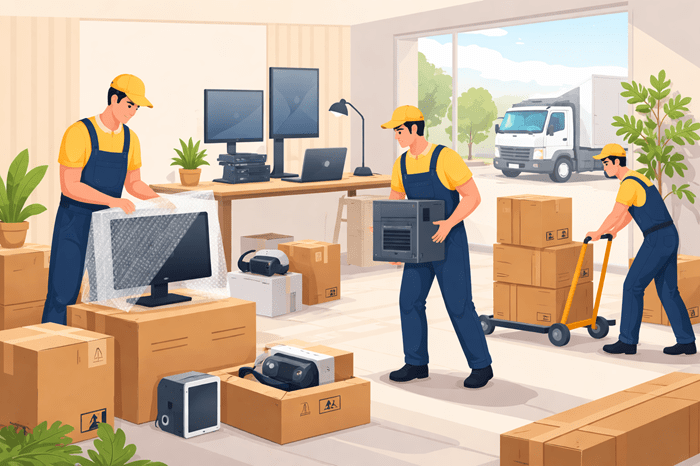

Relocating a home office packed with electronics isn’t your typical move. Between fragile monitors, custom-built PCs, networking gear, and ergonomic workstations, every piece requires careful planning and expert handling. One mistake can mean damaged hardware, lost data, or hours of downtime.
This guide breaks down how to choose the best movers for electronics and home office setups, what separates reliable companies from risky ones, and how to prepare your equipment for a smooth, damage-free transition.
Electronics are highly sensitive. Unlike furniture, they don’t just need strength—they need precision.
Even a small impact, static discharge, or temperature fluctuation can cause serious damage. Internal components like hard drives, GPUs, and circuit boards are especially vulnerable during transport.
A typical home office may include:
High-performance desktops or laptops
Multiple monitors or ultrawide displays
External storage devices and servers
Routers, modems, and networking systems
Printers, scanners, and peripherals
Ergonomic desks and adjustable chairs
Each of these items requires a tailored approach. That’s why working with experienced movers is not just helpful—it’s essential.
Choosing the right moving company can significantly impact the safety of your equipment. Here’s what to look for when evaluating your options.
Not all movers are trained to handle sensitive electronics. Look for companies with proven experience in relocating tech-heavy environments.
They should understand:
Anti-static handling procedures
Proper disassembly techniques
Secure packing methods for delicate parts
Experienced movers know how to minimize vibration, prevent internal damage, and protect sensitive components throughout the move.
High-quality packing is one of the most important factors in a successful move.
Professional movers use:
Anti-static bubble wrap to prevent electrical damage
Foam inserts for shock absorption
Custom crates for large or high-value equipment
Reinforced boxes for added protection
If a company relies on basic boxes and minimal padding, it’s a clear warning sign.
Electronics represent a significant investment. Without proper coverage, you could face major losses if something goes wrong.
Make sure your movers provide:
Full-value protection options
Transparent claims policies
Detailed inventory documentation
Insurance isn’t just a safety net—it’s a sign of a professional and accountable moving company.
Handling office electronics requires more than standard moving tools.
Reliable movers use:
Equipment dollies for heavy systems
Cable labeling systems for organized setup
Climate-controlled trucks to protect sensitive gear
These tools ensure your equipment is transported safely and reassembled efficiently.
Trying to move your home office on your own might seem like a way to save money—but it often leads to more stress, wasted time, and costly mistakes.
Professional movers are trained to handle delicate equipment properly. They reduce risks such as:
Cracked screens
Loose internal components
Damaged ports and connectors
Their expertise ensures your equipment arrives in working condition.
Time is critical, especially if you rely on your home office for work or business operations.
Working with an experienced interstate moving & relocation group helps streamline the entire process—from packing to setup—so you can get back to work faster.
A messy setup after the move can be frustrating.
Professional movers label and organize:
Power cables
Data connections
Peripheral devices
This makes reassembly quick, accurate, and stress-free.
Even with professionals handling the heavy lifting, preparation on your end is crucial.
Before anything gets packed, secure your data.
Upload files to cloud storage
Use external backup drives
Verify backups are complete
This ensures you won’t lose important information if something unexpected happens.
Take clear photos of:
Cable connections
Device placement
Desk configuration
These images will make reassembly much easier and faster.
Small items are easy to lose during a move.
Group and label:
Chargers
Adapters
USB cables
Keeping everything organized prevents confusion later.
Some equipment is too fragile or complex to move without help.
Before deciding to handle items yourself, review these items people should never move alone to avoid unnecessary risks.
Your moving distance plays a major role in choosing the right service.
For short-distance relocations:
Prioritize careful handling over speed
Look for same-day or flexible scheduling
Ensure movers offer setup assistance
Local moves may seem simpler, but fragile electronics still require expert care.
Interstate moves add complexity and risk.
Choose movers who offer:
Licensing and insurance compliance
Shipment tracking systems
Climate-controlled transport
Partnering with the top interstate relocation service providers ensures your equipment stays protected throughout the journey.
Even with professionals involved, certain mistakes can lead to unnecessary problems.
Basic coverage is rarely enough for high-value electronics. Always opt for full protection.
Be clear about:
Fragile or high-value items
Special handling instructions
Setup expectations
The more details you provide, the better the outcome.
Rushed packing increases the risk of damage. Give yourself enough time to prepare everything properly.
Moving a home office typically costs more than a standard move due to the added complexity.
Factors that affect pricing include:
Distance of the move
Number and type of devices
Packing materials required
Insurance coverage
While costs may be higher, professional handling helps prevent expensive repairs or replacements—making it a worthwhile investment.
A few smart strategies can make your move significantly easier:
Schedule your move outside working hours
Notify clients or team members in advance
Test all equipment immediately after setup
Keep essential devices with you during the move
Planning ahead reduces stress and ensures minimal disruption.
Moving electronics and a home office setup requires precision, planning, and the right expertise. It’s not just about transporting items—it’s about protecting your workflow, data, and productivity.
Choosing a trusted best interstate moving company ensures your equipment is handled with care from start to finish. Combined with proper preparation, this approach guarantees a smooth, efficient, and damage-free move.
