
Moving Containers
Recommendation
Moving Container Reviews
Recommendation
Truck Rentals Reviews
Storage Recommendations
Storage Review
Junk Removal Recommendations
Junk Removal Reviews
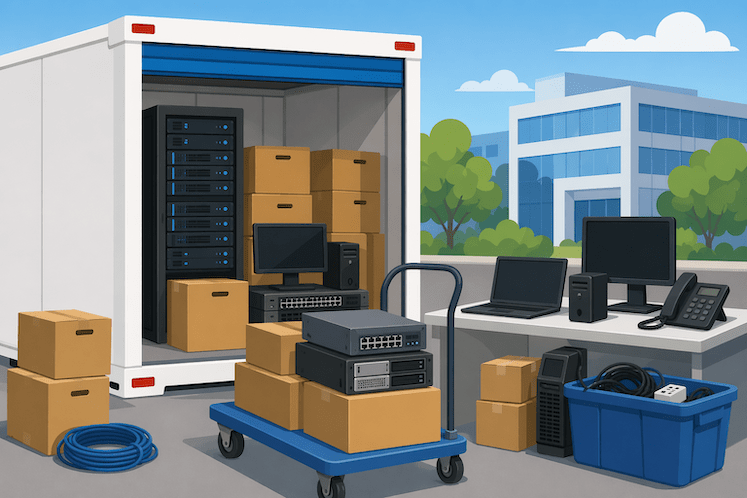

Technology moves fast, but hardware still needs a safe place to live between deployments, relocations, upgrades, and refresh cycles. That is where PODS storage becomes especially useful for IT teams, businesses, and even home offices with valuable electronics to protect. Whether you are storing servers during an office move, holding backup workstations for a rollout, or organizing cables, monitors, and networking gear between projects, the right storage setup can protect both your equipment and your budget.
PODS storage for IT equipment offers a practical middle ground between cramped on-site storage and traditional self-storage units that may not fit the pace of technology operations. It gives businesses flexibility, secure container options, and easier access when equipment needs to be staged, moved, or stored for short or extended periods. For companies managing sensitive electronics, every storage decision affects uptime, asset lifespan, and replacement costs.
This article breaks down why PODS can work well for IT storage, what to consider before choosing a container, how to protect electronics properly, and where PODS fits into broader IT asset management. If you are looking for a secure, adaptable way to store electronics, servers, peripherals, and business tech, PODS storage deserves a close look.
IT assets are not like ordinary office furniture. Laptops, servers, switches, monitors, tablets, printers, backup drives, and other electronics are sensitive to dust, humidity, mishandling, and temperature swings. Even when equipment is not actively in use, poor storage conditions can shorten its life or create expensive problems when it is needed again.
For many businesses, storage becomes a challenge during transitions. A company may be moving offices, consolidating departments, renovating a server room, opening a satellite location, or rotating older hardware out of production. In each case, the equipment still has value and often still plays a role in future operations.
That is why secure IT storage is less about simply finding extra space and more about protecting operational continuity. When technology assets are packed carefully and stored in the right environment, teams can redeploy them faster and reduce unnecessary replacement costs.
PODS storage stands out because it is flexible by design. Instead of forcing businesses to rush a move or commit to a one-size-fits-all storage arrangement, portable containers make it easier to store and access equipment on a timeline that matches actual business needs.
For IT teams, that flexibility matters. Hardware projects rarely follow a perfect schedule. New equipment may arrive before the install date. Legacy systems may need to be stored until data migration is complete. Spare devices may need to be staged for future expansion. A PODS container can help bridge those gaps without creating chaos.
One of the biggest advantages of PODS is convenience. Equipment can be loaded in an organized way, stored for the necessary period, and accessed again when the next deployment phase begins. That makes PODS especially appealing for companies dealing with phased office relocations, infrastructure upgrades, or temporary storage during construction.
IT storage is rarely limited to one item type. A single container may need to hold desktop computers, rolling carts, shelving, monitors, boxed accessories, spare routers, cable inventory, and archived hardware. PODS can support a more organized layout for these mixed storage needs, provided everything is packed properly and labeled clearly.
Some businesses only need storage for a few weeks. Others need it for months while they restructure their physical workspace or cycle through equipment upgrades. PODS can support both scenarios, making it easier to align storage costs with actual project timelines instead of locking into a rigid arrangement.
When businesses search for storage for IT equipment, security is usually the first concern. Electronics are valuable, portable, and often tied to sensitive business operations. Even if the devices no longer contain live data, they may still be expensive to replace or difficult to reconfigure.
PODS can support secure electronics storage when paired with strong internal handling practices. That includes documenting inventory, wiping or encrypting devices when appropriate, using protective packing materials, and restricting access to authorized personnel only.
Portable storage containers provide an enclosed environment that helps shield equipment from exposure during transitions. That matters when hardware would otherwise sit in open office areas, hallways, or temporary staging spaces where it could be bumped, stacked incorrectly, or accessed too casually.
IT hardware is especially vulnerable during renovations and relocations. Dust, foot traffic, accidental impacts, and shifting schedules can all create risk. A properly organized PODS container gives businesses more control over where equipment is kept while those disruptions are happening.
Storage is not just about where hardware sits. It is also about whether you can find it when you need it. A labeled, documented PODS setup can support better IT asset tracking, especially when businesses separate categories like active spares, retired equipment, replacement stock, and deployment-ready devices.
Not every piece of technology requires climate-controlled conditions, but many electronics benefit from a stable storage environment. Temperature extremes, excess humidity, and moisture exposure can damage components, shorten battery life, and create problems that may not be obvious until the device is powered back on.
If you are storing delicate or high-value equipment, climate considerations should be part of the decision from the start.
Climate-controlled storage is often worth considering for:
If your storage plan involves long durations or a region with heavy humidity, heat, or seasonal temperature swings, stable conditions become even more important. IT managers should evaluate not just container size and price, but also how environmental exposure could affect the equipment inside.
Climate control helps, but it does not replace careful packing. Anti-static materials, original manufacturer boxes when available, cushioned wraps, moisture control products, and upright placement for monitors and towers all make a difference. Storage success depends on both the environment and the way the equipment is prepared before it goes in.
Cost is one of the most common questions around PODS storage, and understandably so. Businesses want flexibility, but they also need predictable expenses. The exact price of a storage POD depends on several factors, including container size, location, rental duration, delivery needs, and any added services.
For IT teams, the better question is not only how much a PODS container costs, but whether the storage setup helps prevent equipment loss, project delays, or damage-related replacement costs. In many cases, the value comes from operational efficiency as much as the monthly rate.
A business storing a few spare workstations will have very different needs from one staging equipment for a full office relocation. That is why it helps to compare container size, project timeline, and access frequency before choosing a solution. Businesses that want to compare pricing alongside nearby alternatives can get a broader local cost picture through the best deals on storage units near your area.
PODS are not just for moving household items. In IT, they can play a valuable role in daily operations, growth planning, and project-based transitions.
When a company changes locations, the IT department often has the most complicated moving checklist. Equipment needs to be disconnected, tracked, protected, transported, and reinstalled in the correct order. PODS can help by creating a temporary holding space for organized, staged equipment rather than forcing everything into a rushed same-day transfer.
Not every data center project is a full migration. Sometimes teams need temporary storage while racks are replaced, cooling systems are upgraded, or floor layouts are adjusted. Portable storage can support staging for those transitional periods, especially when equipment needs to remain categorized and accessible.
Most companies maintain a mix of active devices, backup units, retired hardware, and incoming replacements. That creates a constant need for organized overflow storage. PODS can help separate equipment that is ready for deployment from items waiting for disposition, refurbishment, or reassignment.
Some businesses experience periodic spikes in hardware volume. New employee onboarding, hardware refresh cycles, satellite office launches, and temporary contract teams can all increase inventory pressure. Having flexible storage on hand can reduce clutter and keep active workspaces more efficient.
Good IT asset management is about visibility, accountability, and readiness. Storage plays a direct role in all three. If equipment is poorly packed, unlabeled, or scattered across multiple spaces, it becomes harder to audit, harder to deploy, and easier to lose.
PODS can support asset management best when businesses treat the container like an extension of their IT inventory system rather than a dumping ground for old gear.
A useful approach includes:
With a process like that in place, a PODS container becomes part of operational planning instead of an afterthought.
Many companies replace equipment simply because it was stored poorly, misplaced, or left inaccessible long enough to become forgotten inventory. Better storage can reduce that waste. For IT departments balancing procurement budgets, protecting existing assets is often just as important as buying new ones.
Traditional storage units can still work for some IT needs, but PODS offer advantages when flexibility and timing matter. If equipment must be moved, staged, or accessed as part of an ongoing project, portable storage can reduce friction.
That said, the right choice depends on the use case. Some businesses may need a storage unit with frequent in-person access. Others may benefit more from a container solution that fits around a move, renovation, or phased installation. A broader breakdown of container services, pricing, trade-offs, and common use cases is covered in a closer look at how PODS services compare on pricing and flexibility.
Before placing any electronics into storage, it is worth slowing down and setting up a clean system. A few practical steps can prevent costly mistakes later.
Back up critical systems, remove sensitive data where necessary, and document serial numbers. If a device still contains business information, follow your company’s data security policy before it leaves an active workspace.
Anti-static bags, foam padding, sturdy boxes, cable ties, and moisture-absorbing products can go a long way. Avoid loose packing that allows gear to shift during loading or transit.
The goal is not to cram in as much as possible. The goal is to store equipment so it can be found, removed, and used without turning the container into a full-day unpacking job.
Many IT problems happen in the gap between one location and the next. If a business is moving and needs a short-term holding strategy for electronics and office hardware, managing temporary storage between locations without disrupting the move can make that transition far less stressful.
PODS storage can be a smart solution for businesses that need secure, flexible space for electronics, hardware, and technology equipment. It is especially useful during office moves, infrastructure upgrades, phased deployments, and overflow inventory periods when traditional storage options may feel too rigid or inconvenient.
The real benefit is not just extra space. It is the ability to protect valuable IT assets, maintain better organization, and adapt storage around real business timelines. When paired with careful packing, inventory discipline, and a strong security process, PODS can help reduce damage risk, improve access, and support smoother technology operations.
For IT teams trying to protect equipment while staying agile, that combination is hard to ignore.
