
Moving Containers
Recommendation
Moving Container Reviews
Recommendation
Truck Rentals Reviews
Storage Recommendations
Storage Review
Junk Removal Recommendations
Junk Removal Reviews
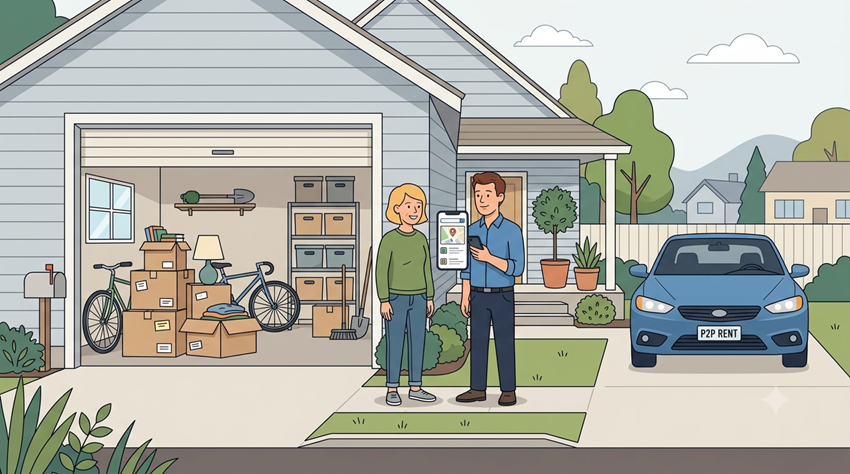

Finding extra room for your belongings, vehicle, or equipment does not always require renting a traditional storage unit or a commercial parking facility. Peer-to-peer platforms such as Neighbor connect people who need space with property owners who have unused garages, driveways, basements, sheds, and other suitable areas available for rent. Understanding how to book storage or parking space on Neighbor can help you find a convenient location, compare prices, and choose an arrangement that fits your needs.
Whether you are moving to a new home, storing seasonal items, or looking for a place to park a car, the process starts with identifying the right type of space, reviewing the listing details, and confirming the rental terms before making a reservation.
Neighbor is a peer-to-peer storage marketplace that allows property owners to earn income by renting out unused space. Renters can browse available options for household belongings, vehicles, recreational equipment, and other permitted items.
Unlike conventional self-storage facilities, listings may include residential garages, private driveways, parking spots, sheds, and indoor storage areas. Availability and suitability depend on the property, the host’s rules, and the renter’s requirements.
The platform can be useful when traditional facilities are too expensive, inconveniently located, or unable to accommodate a particular vehicle or item.
For people comparing different providers, exploring the best interstate moving companies can also help when storage is part of a larger relocation plan.
Before searching, determine exactly what you intend to store or park. The right choice depends on the item’s size, how often you need access, and the level of protection required.
A garage, basement, shed, or dedicated storage area may suit furniture, boxes, seasonal decorations, sporting equipment, and other personal belongings. Estimate the amount of room you need and consider whether items require protection from moisture, dust, or temperature changes.
For long-term storage, prioritize a clean, dry location with appropriate security measures. Ask the host about ventilation, pest prevention, and any restrictions on stored goods.
Vehicle owners may find private driveways, covered parking areas, garages, or designated outdoor spaces. Before reserving, confirm the dimensions, vehicle type, access hours, and whether the space permits long-term parking.
Large vehicles need additional attention because height, length, turning clearance, and driveway access can affect whether a location is suitable. Ask about restrictions on vehicle maintenance, charging, and overnight access where relevant.
A short-term rental can bridge the gap between moving out of one property and entering another. Consider how long the space will be needed and whether the host allows flexible dates or extensions.
Choosing the correct type of space from the beginning reduces the chance of booking a location that does not meet your practical requirements.
Once you know what you need, visit the Neighbor website or use the platform’s app, where available, to search for suitable listings.
Enter your preferred location and select the appropriate category for storage or vehicle parking. You can then review available properties and compare their features.
People searching for a neighbor storage near me option should consider more than distance alone. A nearby listing may be less convenient than a slightly farther location with better access, stronger protection from the weather, or more suitable rental terms.
Likewise, someone looking for storage space for rent near me should assess the listing’s actual usable capacity instead of relying only on a general description.
Pay attention to photographs, dimensions, access arrangements, and the host’s description. Look for details about whether the area is indoors or outdoors, covered or uncovered, and shared or exclusively reserved.
Contact the host through the platform when important information is missing. Clear communication before payment can prevent misunderstandings after the reservation begins.
The listed price is only one part of the decision. Check the complete cost, payment schedule, rental duration, cancellation terms, and any applicable platform charges before committing.
Neighbor storage fees may vary according to location, space size, property type, demand, and the host’s pricing. Indoor storage and covered parking may cost more than some outdoor alternatives, although actual prices differ by listing.
Compare several suitable properties rather than choosing the cheapest option immediately. A lower monthly price may not be worthwhile when access is restricted or the location does not adequately protect your belongings.
When evaluating the total cost, check for any additional charges disclosed during checkout. Confirm how billing works, when payments are due, and what happens when a reservation is extended or ended early.
For more guidance, read this resource on choosing interstate moving and storage without overpaying, particularly when storage is one part of a larger moving budget.
A suitable listing should meet your storage needs and provide clear, reliable rental conditions. Review the available host information and ask questions before making a commitment.
Confirm when you can enter the property, how access is provided, and whether appointments are required. Some arrangements may allow flexible entry, while others require coordination with the host.
Ask about gates, locks, lighting, surveillance, and other security features without assuming that every property offers the same protections. Understand the platform’s applicable protection terms and any exclusions rather than treating a listing as automatically insured against every possible loss.
Furniture, electronics, documents, clothing, and other sensitive belongings may be damaged by humidity, leaks, heat, or pests. Check whether the space is suitable for the items you plan to store.
For outdoor parking, inspect the surface, drainage, lighting, and exposure to weather. For indoor areas, check for visible signs of dampness, water intrusion, or poor ventilation.
Useful preparation advice is available in this guide on how to pest-proof your storage unit the smart way.
After comparing listings and confirming the details, proceed with the reservation through Neighbor’s official booking process.
The precise interface may change, but the general process is straightforward:
Keep confirmation messages and relevant rental details accessible. Do not assume that a conversation with a host alone establishes a confirmed reservation.
Once the booking is confirmed, coordinate arrival instructions, loading arrangements, parking access, and any required identification. For larger belongings, ask whether the property can accommodate delivery vehicles or moving equipment.
Take photographs of your belongings and their condition before storage. For a vehicle, document its condition and any existing damage before leaving it at the property.
These records can help clarify the original condition of the items if a dispute arises later.
The neighbor storage app can make it easier to browse listings, communicate with hosts, and review reservation details, depending on the platform’s current features and your device.
After booking, keep track of the rental dates, payment information, access instructions, and any messages that affect your arrangement. Check the platform for updates before arriving, especially when access depends on coordinating with the property owner.
Avoid relying exclusively on informal verbal agreements. Important changes to dates, access, pricing, or permitted use should be documented through the platform whenever possible.
Storage and parking may appear similar because both involve renting unused property, but each has different practical considerations.
Prioritize usable capacity, cleanliness, moisture control, security, and the host’s rules about acceptable items. Pack belongings in suitable containers, label boxes, and leave enough room to access items that you may need later.
For extended rentals, review long-term storage questions people ask before renting to help assess rental duration, access, and preparation requirements.
Prioritize vehicle dimensions, clearance, surface conditions, access hours, and protection from weather. Confirm that the property is intended for your particular vehicle and that the host permits the proposed parking arrangement.
For RVs, trailers, and other large vehicles, verify turning space and entry clearance before booking. Also clarify whether the vehicle must remain operational or whether the space permits a vehicle that is not currently running.
Reading neighbor storage reviews can provide useful context about communication, access, cleanliness, and the overall rental experience. However, reviews should be considered alongside the listing details and direct answers from the host.
Look for specific comments about reliability and whether the space matched its description. Recent, detailed feedback may be more useful than a brief rating without supporting information.
A Neighbor storage review can help identify questions to ask, but it cannot guarantee that every future rental will provide the same experience. Confirm the current condition and terms of the individual listing before paying.
Even a promising listing can become inconvenient when essential details are overlooked.
Taking these precautions makes the booking process more predictable and helps you choose an arrangement that suits your actual needs.
Learning how to book storage or parking space on Neighbor starts with understanding what you need, comparing suitable listings, and confirming the terms before making a reservation. The platform offers an alternative to traditional storage facilities by connecting renters with property owners who have available space.
Whether you need room for household belongings or a place to park a vehicle, careful planning helps you avoid unnecessary costs and access problems. Review the listing, communicate clearly with the host, document the agreement, and keep your reservation information available throughout the rental.
By following these steps, you can make a more informed decision and find a storage or parking arrangement that fits your budget, location, and intended use.
Search for a suitable listing, review its price and conditions, enter your rental details, and complete the reservation through the platform.
Yes, suitable listings may include driveways and garages, subject to availability, vehicle restrictions, and the host’s rental terms.
Pricing varies by location, space type, size, demand, rental duration, and any applicable fees shown during booking.
It can be suitable for long-term storage when the listing permits the required duration and the space meets your access, security, and environmental needs.
Verify dimensions, access hours, total price, rental rules, security arrangements, cancellation terms, and applicable protection conditions.
